
 Ómar Thor ÓmarssonUpdated
 The magic button: apply website improvements in one click
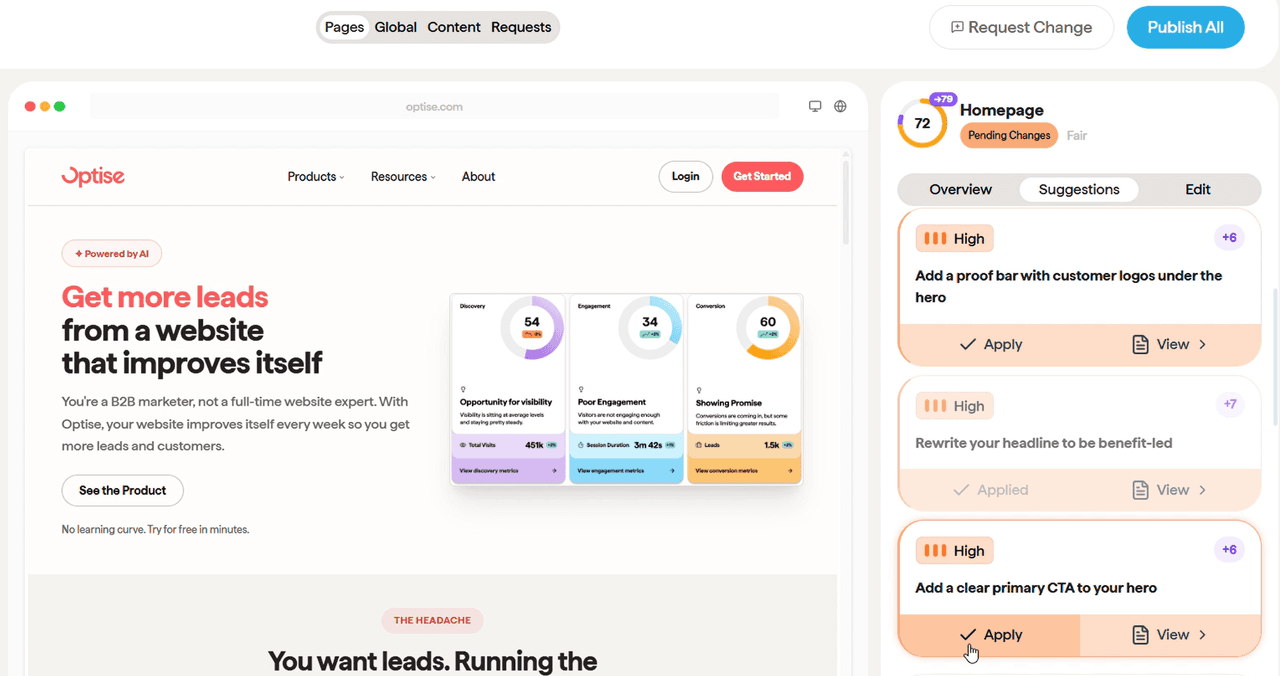
Optise already told you what your website needed. Now it makes the change for you. See the suggestion, click apply, and it lands on your site, fully drafted and designed.
TLDR
There is a new button in Optise, and it might be our favourite thing we have shipped. Optise sends you intelligent, prioritised suggestions for improving your website. You click apply, and the improvement lands on your site, fully drafted and fully designed. Click publish, and it is live. The platform already knew what your site needed. Now it does the work for you, while you keep the final say.
Smart summary
- Optise now sends you prioritised suggestions for improving your website.
- Click apply, and the improvement is made for you, fully drafted and designed.
- Click publish, and it goes live. You always keep the final say.
- Suggestions can cover copy, design, UX, technical foundation, content, sitemap, SEO, and AI search visibility.
- The intelligence engine decides what to improve using your business, your market, real search demand, and the best B2B websites in the world.
- It went from telling you what to do, to doing it for you.
Why this matters
Most website tools stop at the advice. They hand you a report, a score, or a list of problems, and then the work is still yours. Knowing what to fix was never the hard part. Finding the time and the skill to actually do it was.
That is where websites go to die. The suggestions pile up, the list gets longer, and nothing ships. The site stays exactly as it is while the business moves on.
The magic button closes that gap. The distance between knowing what to improve and having it live on your site is now one click. That is the difference between a tool that reports and a platform that ships.
Quick answers
- What is the magic button? A button in Optise that turns a suggested website improvement into a finished, published change in one click.
- How do you use it? Open your prioritised suggestions, click apply to make the change, then click publish to take it live.
- What can it improve? Copy, design, UX, technical foundation, content, sitemap, SEO, and AI search visibility.
- Are the changes designed for me? Yes. Each improvement arrives fully drafted and fully designed, not as a to-do.
- Do I stay in control? Yes. Nothing goes live until you click publish. Approve, adjust, or skip.
- Is it live now? Yes, it is available in Optise today.
What the magic button does
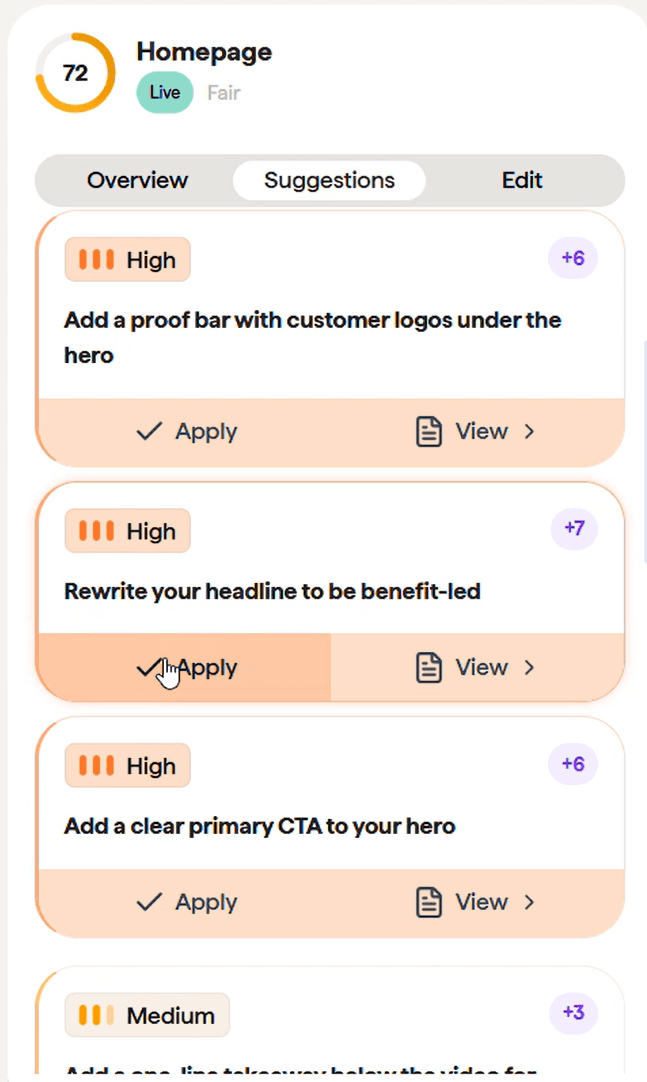
Optise sends you a list of prioritised suggestions for improving your website. Each one is a specific, ready-to-ship change, not vague advice.
You click apply. The improvement is made for you, fully drafted and fully designed. You click publish. It is live.
That is the whole loop. See the suggestion, apply it, publish it. The work that used to need a designer, a copywriter, a developer, and a free afternoon now takes one click.
How it works
The magic button is the easy part you see. Behind it is the intelligence engine doing the hard part.
It knows your business, your industry, your audience, and your competition. It listens to what people are actually searching for. And it looks at what the best B2B websites in the world are doing. Then it tells you exactly what your website needs next, and prepares the change so it is ready to apply.
Because it is always learning from your site and your market, the suggestions get sharper over time. The longer you use it, the better it knows what your website needs.
What it can improve
The suggestions are not limited to one part of the site. The magic button can ship improvements across:
- Copy
- Design
- UX
- Technical foundation
- Content
- Sitemap
- SEO
- AI search visibility (AEO)
If it helps your website get found, build trust, or convert, it is on the table. This is the same continuous work described on our automated website improvements page, now a single click away.
I shipped 3 fixes to our own homepage in 2 minutes
I used it this morning on optise.com. Three improvements to our homepage, applied and published, start to finish, in 2 minutes. No brief, no ticket, no waiting on anyone. For instance, I added a whole FAQ section with one click!
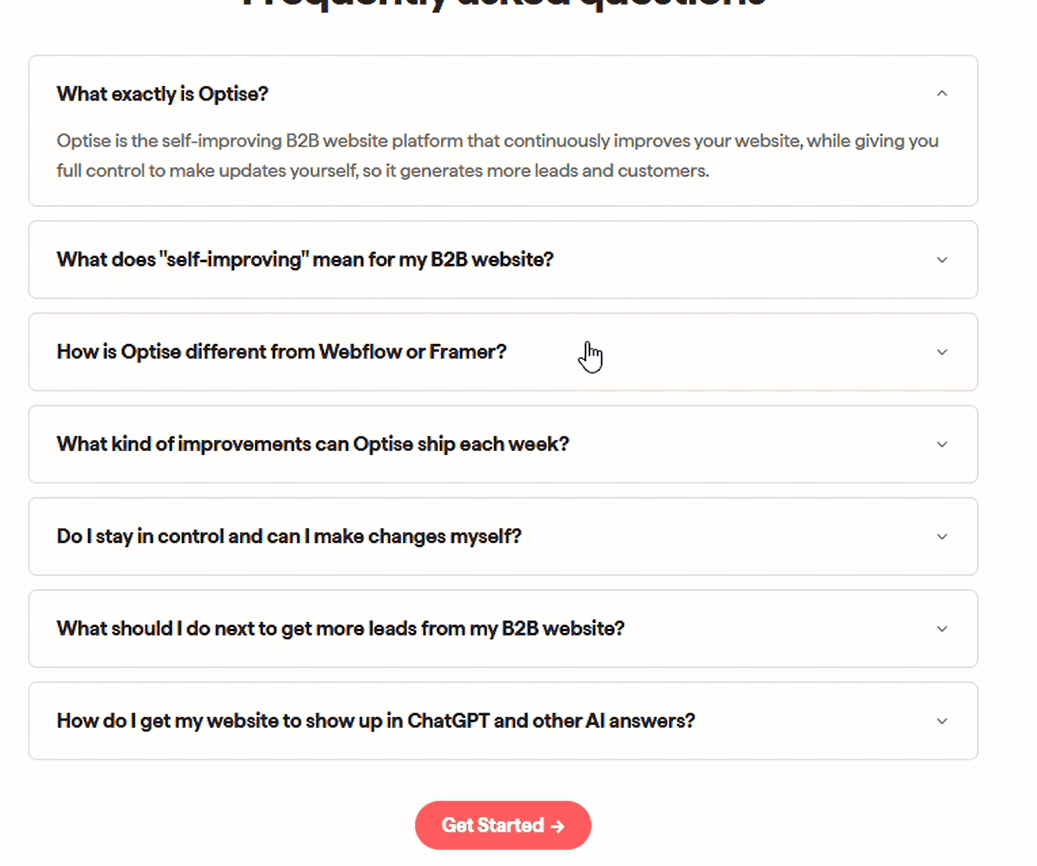
That is the point. Optise is your website team. It tells you how the site is doing, it tells you what to improve next, and now it makes the improvement for you.
Conclusion
For a long time, Optise could tell you exactly what your website needed. Now it does it for you. See the suggestion, click apply, click publish. Your website gets better, and you stay in control of every change that goes live.
This is one step in a bigger direction, and there is more coming. If you want a website that improves itself, start a free trial of Optise and try the magic button on your own site.
Mini Q&A
What makes the magic button different from other website tools? Most tools stop at telling you what is wrong. The magic button makes the fix. Each suggestion arrives fully drafted and designed, and one click applies it to your site. It is the difference between a report and a finished improvement.
Do I still control what publishes? Yes. Applying an improvement stages it. Nothing goes live until you click publish. You can apply, adjust, or skip any suggestion, so the platform does the work while you keep the final say over what visitors see.
What can it actually improve? Almost any part of the website: copy, design, UX, technical foundation, content, sitemap, SEO, and AI search visibility. If it helps your site get found, build trust, or convert, Optise can suggest it and ship it.
FAQ
What is the magic button in Optise? It is a button that turns a suggested website improvement into a finished, published change in one click. Optise drafts and designs the improvement, you apply it, and you publish it live.
How does the magic button work? Optise sends you prioritised suggestions for your website. You click apply to make the change, which arrives fully drafted and designed, then click publish to take it live.
What kinds of improvements can it make? Copy, design, UX, technical foundation, content, sitemap, SEO, and AI search visibility. The suggestions cover any part of the site that affects how it gets found, builds trust, or converts.
Are the improvements fully designed, or just suggestions? Fully designed. Each improvement lands ready to publish, not as a to-do item you still have to build.
Do I stay in control of what goes live? Yes. Nothing publishes until you click publish. You can apply, adjust, or skip any suggestion.
How long does it take to apply an improvement? Seconds. In practice, you can apply and publish several improvements in a couple of minutes.
How does Optise know what to improve? The intelligence engine uses your business, industry, audience, and competition, listens to what people are searching for, and studies the best B2B websites in the world, then decides what your site needs next.
Does it help with SEO and AI engines? Yes. Suggestions include technical SEO and AI search visibility, so your site is built to rank on Google and to be cited by AI engines like ChatGPT and Perplexity.
Is the magic button available now? Yes. It is live in Optise today, with more improvements to the experience on the way.
How do I try the magic button? Start a free trial of Optise, connect your site, and open your list of suggestions. Click apply on the first one and see it land.
Ómar Thor Ómarsson
CEO & Co-founder